Identify Direct Mail Groups
| Screen ID: | n/a | 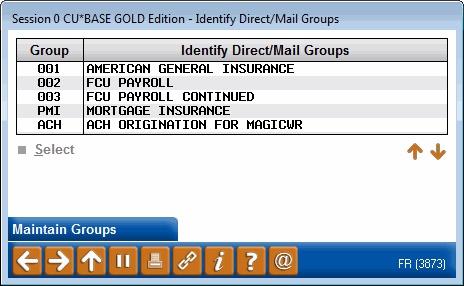
|
| Screen Title: | Identify Direct Mail Groups | |
| Panel ID: | 3873 | |
| Tool Number: | 341 | |
| Click here to magnify |
Access this screen by selecting Select Group from the initial Direct Mail Post screen.
-
Refer to the Importing Transaction Files and Posting Direct Mail Post booklet.
Use this screen to select your Direct Mail Post group. If a group is selected, the included transaction will be retained for a later use within the group, such as for the posting of payroll checks.
Select your group and return to the previous screen. To create a new group, use Maintain Groups to create a new additional group.