Membership Designation Configuration
| Screen ID: | n/a | 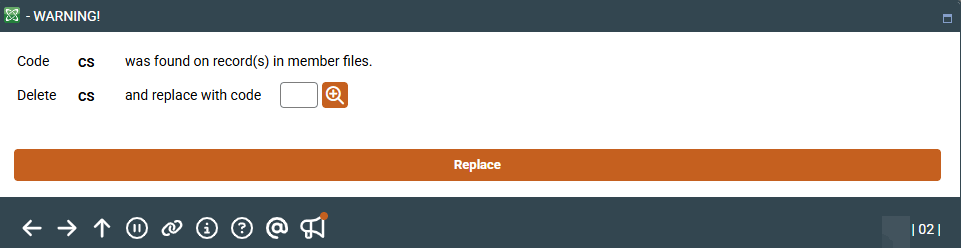
|
| Screen Title: | Configure Membership Designations | |
| Panel ID: | 3943 | |
| Tool Number: | 523 | |
| View full-size screen |
Access this screen selecting a membership designation on the entry screen and then Remove.
If you need to delete an existing membership designation code, the system will allow you to move any existing memberships that use that code over to another code of your choice. If any member records use this code, this screen will appear. Enter a replacement code and press Enter to save. All members that were using the old code will now be assigned to the new one.