Calculate Medallion Values
| Screen ID: | n/a | 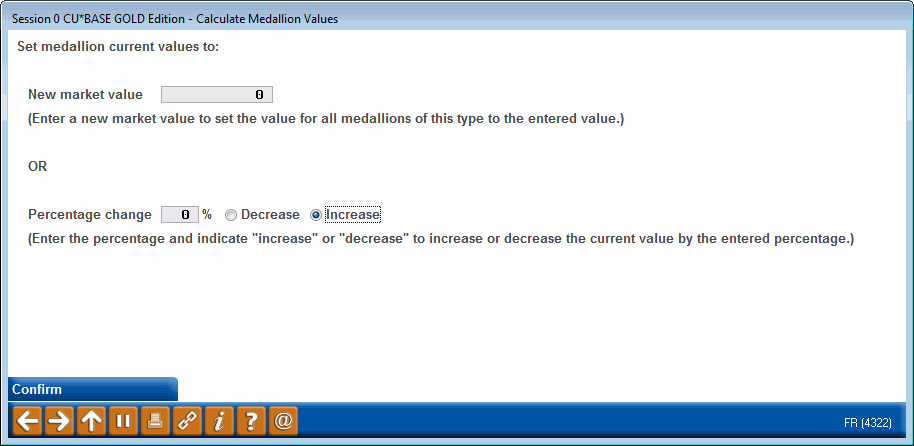
|
| Screen Title: | Calculate Medallion Values | |
| Panel ID: | 4322 | |
| Tool Number: | 713 | |
| View full-size screen |
Access this screen by selecting Calculate Values from the Main Re-price Collateral screen.
Collateral: Tracking Property Pledged to Secure Loans booklet for more details on Medallion Type collateral.
This screen is used to re-calculate the medallion current values either based on a new market value or a percentage change to increase or decrease the current value.
Here you can enter a new value of the Medallion Collateral Type selected on the previous screen. Or you can enter a percent increase or decrease. Confirm will move you back to the original screen where the change is reflected. (Remember that you must choose Update on the original screen. Otherwise this will just be a simulation.)