Household Maintenance - Miscellaneous Information and Comments
| Screen ID: | UHLCINFO-08 | 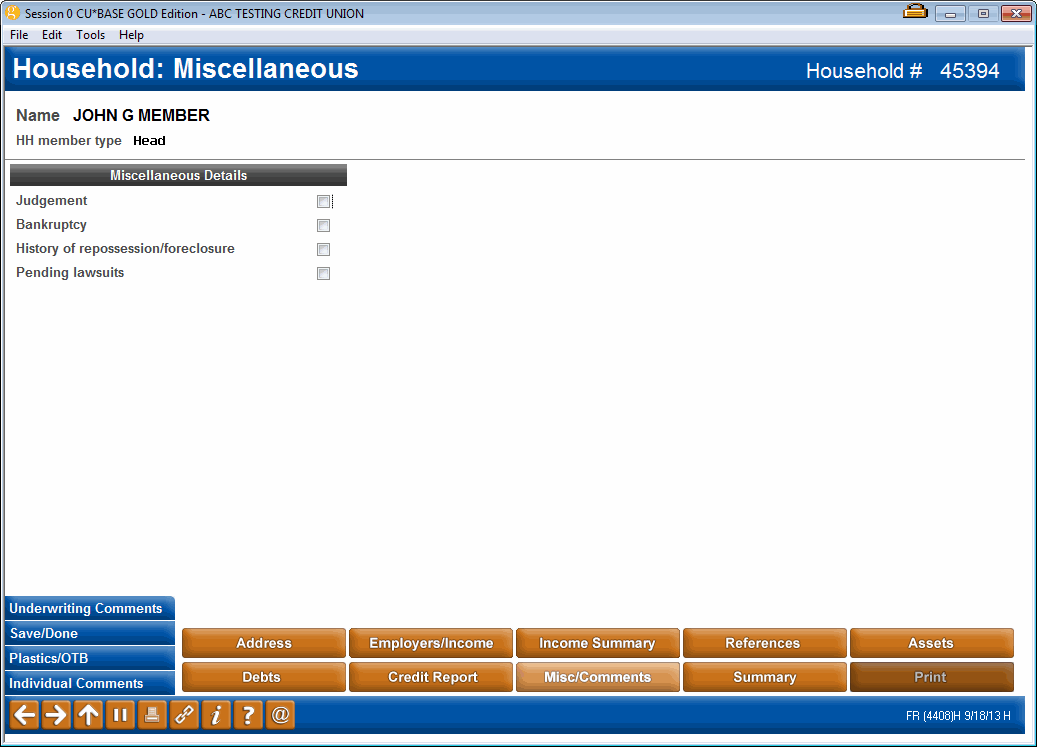
|
| Screen Title: | Loan Application – Miscellaneous Details | |
| Panel ID: | 4408h | |
| Tool Number: | 394 | |
| View full-size screen |
Access this screen by selecting the Misc & Comments button in the loan application screens. A view only version of this screen can be accessed via Inquiry or Tool #1394 View Household Database/Stats. If maintenance features are absent from the screen, be sure to check the access point.
This screen is used to answer miscellaneous questions pertaining to financial status for household member selected. Place a checkmark as appropriate for each item listed.
This screen also lets you record comments about either applicant, including information about pending judgments, bankruptcy, citizenship, future changes to income levels, etc.
When done, use Save/Done to save all changes and continue to the Financial Summary screen.
Buttons
|
Button |
Description |
|---|---|
|
Backup |
Use this to return to the previous screen. Changes made to this screen will be saved. |
|
Use this to view or edit Underwriting Comments for this member. |
|
|
Cancel/Up arrow |
Use this to exit and return to the Loan Recap or Household Members screen.
|
|
Save/Done |
Use this to exit and return to the Loan Recap or Household Members screen. Any changes made to this screen will be saved. |
|
Use this to view or change ATM/Debit or other OTB account records for this member. A window will appear first to allow you to choose either the applicant or co-applicant. |