ChexSystems Interface Configuration (Copy)
| Screen ID: | n/a | 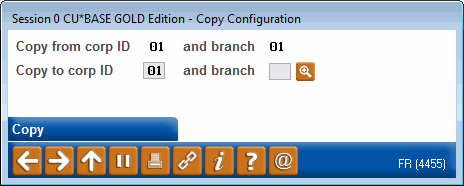
|
| Screen Title: | Copy Configuration | |
| Panel ID: | 4455 | |
| Tool Number: | n/a | |
| View full-size screen |
Access this screen by using Copy on the initial ChexSystems Interface Configuration screen.
This window lets you copy the ChexSystems Interface configuration from branch to other branches, to save time when setting up multiple branches.
Enter the new branch/location you want to configure from the copied information, and use Copy to proceed to the main configuration screen. Be sure to enter a unique Customer ID for this branch; all other settings can be identical to other branch records (this is recommended, actually).