Select Dates
| Screen ID: | n/a | 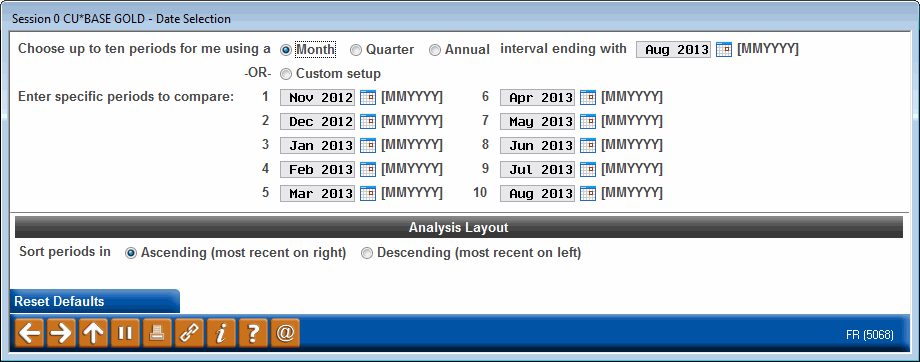
|
| Screen Title: | Select Dates | |
| Panel ID: | 5068 | |
| Tool Number: | 473 | |
| View full-size screen |
Access this screen by using Select Dates on the entry selection screen for the Loan Risk Score Analysis Dashboard.
Select the dates that will be used for the Trending Analysis. The months will default to the most recent ten months.
Dates here can have automatic intervals of Monthly, Quarterly or Yearly and can be displayed in Ascending or Descending order. You can also select Custom and enter in specific months to compare. Use Reset Defaults to return to the previous ten months.
When finished, use the back up arrow to return to the selection screen with your changes entered.