Add Additional Miscellaneous Coverage
| Screen ID: | n/a | 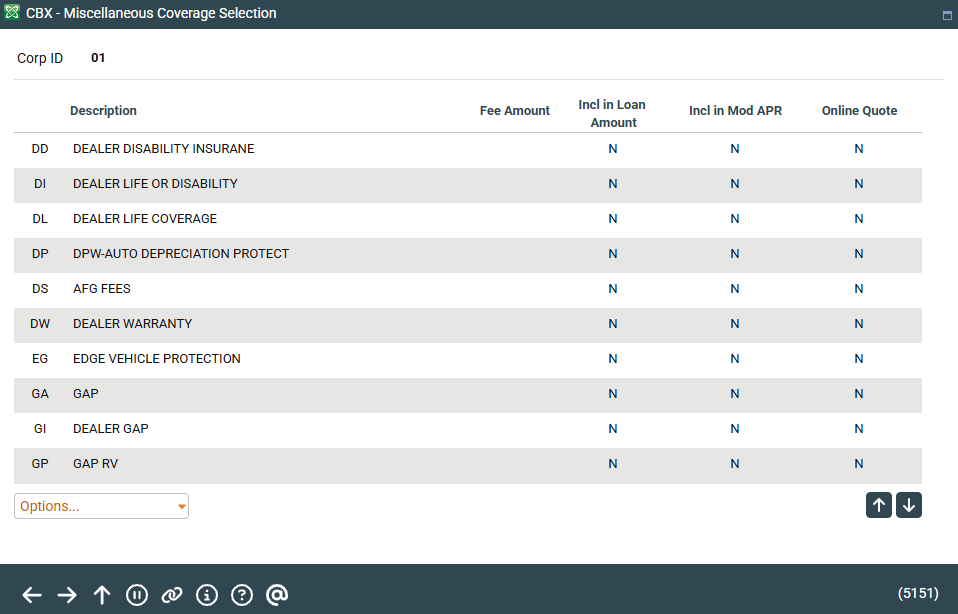
|
| Screen Title: | Miscellaneous Coverage Selection | |
| Panel ID: | 5151 | |
| Tool Number: | Multiple | |
| View full-size screen |
Access this screen by selecting Add Coverage while viewing the Payment Protection and Miscellaneous Coverages screen.
Screen Overview
This screen lists all the coverage options available that can be added to the loan. To add additional coverage, select the coverage and press Enter.
To view a view-only version of the original configuration, select the coverage and use View Original Configuration.
Related Resources
Learn how to add miscellaneous insurance to a loan
Removing Miscellaneous Insurance Coverage from a Loan Account