NSF Statistics - Detail
| Screen ID: | INSF-02 | 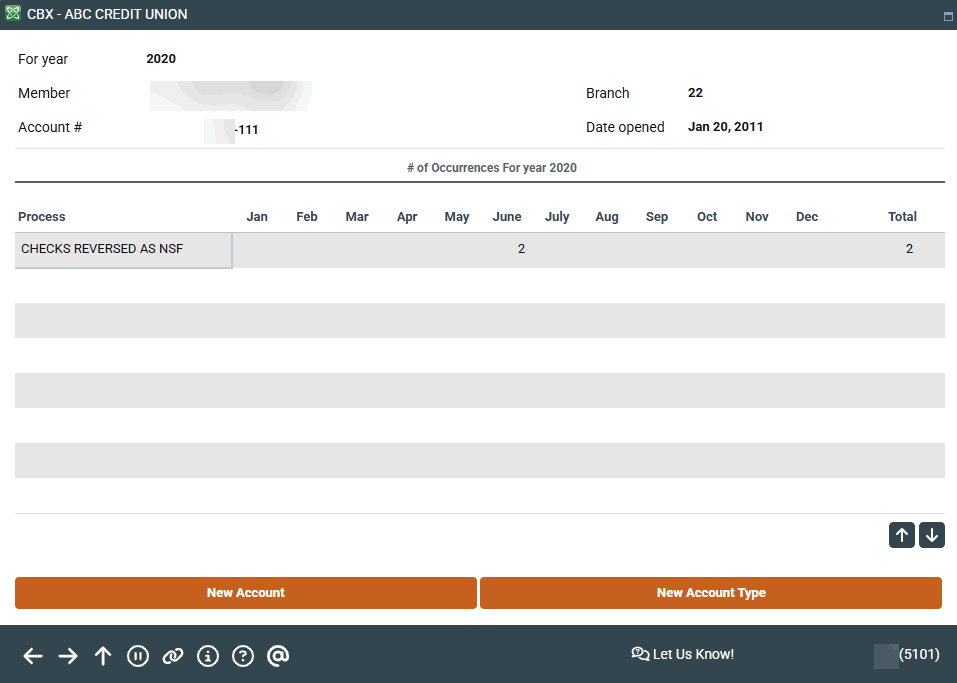
|
| Screen Title: | NSF Statistics Detail | |
| Panel ID: | 5101 | |
| Tool Number: | Multiple | |
| View full-size screen |
This screen appears when you select a year and choose Detail on the initial NSF Statistics Summary screen.
This screen breaks down NSF items by process, separating items that were actually returned as NSF from those that were not returned but were posted to a negative balance.'
-
Be sure to pay attention to whether you fee on available or current balance - this is configured on the Overdraft Protection/ANR Activation screen.
When done, use back up to return to the previous screen, or the up arrow to exit.