Print Ballot Results
| Screen ID: |
LCUBALR-01 |
|
| Screen Title: |
Print Ballot Results |
|
| Panel ID: | 3644 | |
| Tool Number: | 564 | |
| Report Name: | LCUBALR | View full-size screen |
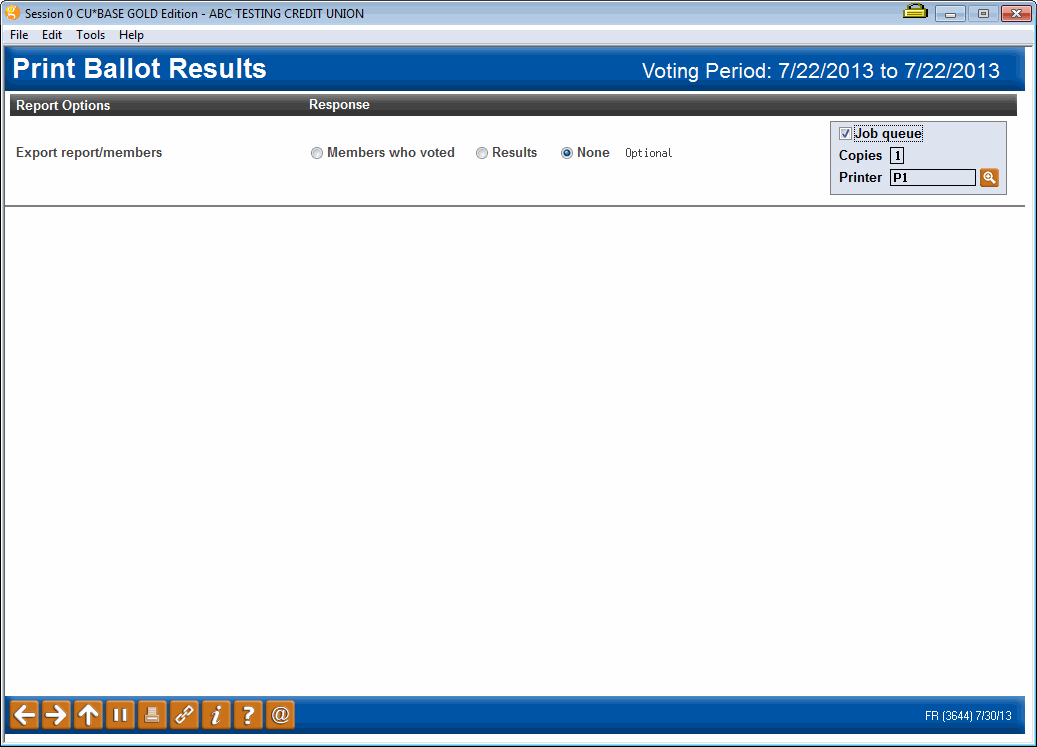
Access this screen by using Print Results on the ballot status screen when the ballot is complete.
Screen Overview
Use this screen to print a report of member results.
|
Option |
Description |
|---|---|
|
No Export |
Select and press Enter. A report of the results will print. |
|
Votes
|
Select and press Enter. A field will appear. Enter the name of the file and press Enter. The report will print and a file will be created, including the vote tally for use with Report Builder or to give to an auditor. The file that is generated contains the following items: Question sequence number, Question Description, Answer Sequence Number, Number of votes, Percentage of total. There will be no way to link a member to an answer. |
|
Members |
Select and press Enter. A field will appear. Enter the name of the file and press Enter. The report will print and a file will be created, including the accounts of the members who participated in the ballot. This can be used with Member Connect to contact the members via email or online banking message. |
Report Sample
