Deny Online Banking Membership Application
| Screen ID: |
PCPEND-07 |
|
| Screen Title: |
Deny Online Banking Membership Request |
|
| Panel ID: |
5038 |
|
| Tool Number: | 13 | |
| View full-size screen |
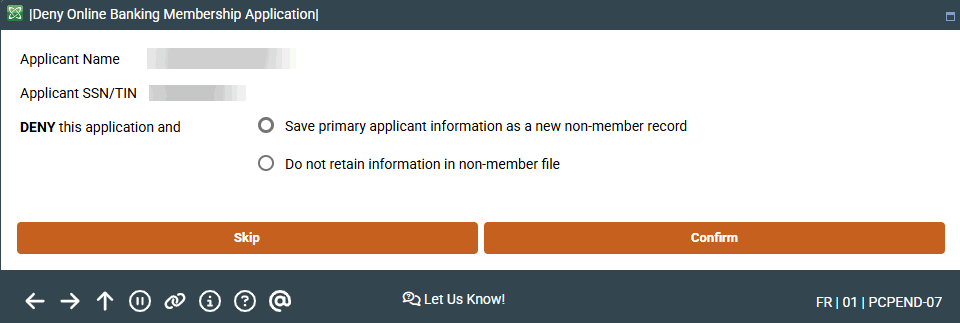
This screen appears when you select a membership request and Deny from the Membership Applications from Online Banking screen.
Screen Overview
This screen is accessed when you select to deny an online banking request. Select whether to saving the primary applicant information as a non-member record or to not retain the information in the non-member file.
Using this Screen
Select "Save primary applicant information on non-member file" on this screen. Select "Do no retain non-member information" if you do not want to save notes. (See additionally Non-Member Notes below.) After making your selection, use Confirm to advance to the Denial Notice screens.
Non-Member Notes
You can enter notes on the non-member that will become part of the permanent record of the non-member. If configured, the notes will also be converted to be part of the membership Tracker record should the non-member become a member. If a membership application is denied, the system-generated “Other Info/More Info” notes from the online membership screens (including the indicator that it was a MAP/MOP application) is also saved to a Non-Member Note. SEE ALSO: Non-Member Notes
Related Resources
Approving a Membership Application
Deleting a Membership Application
Viewing Credit Information for Membership Applications