Create Midanet File
|
Screen ID: Screen Title: Panel ID: |
PFMLNSN-01 Create Monthly Investor File 4095 |
|
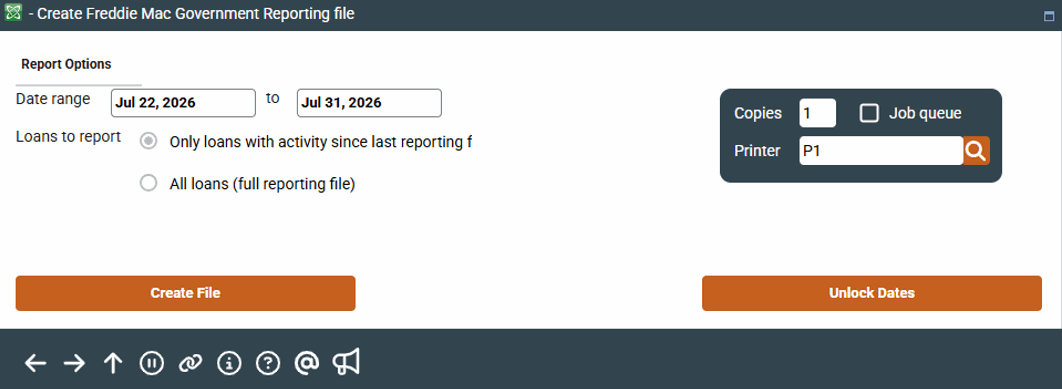
Access this screen afterselecting the Settlement calculation routine FHMC, Company code (if applicable) and the appropriate PL Investor(s) from the first Create Monthly Investor File screen.
This is the second screen used to create the monthly government investor Midanet file for Freddie Mac.
Select whether to report only on loans with activity since the last reporting file (default) or all loans.
After creating the file via Create File , Upload File will display.
For complete details on the PL system, including configuring the necessary codes, creating participation loan records, processing investor settlement and using various reports, refer to the Participation Lending: Freddie Mac Secondary Market Loan Processing booklet.
Field Descriptions
|
Field Name |
Description |
|---|---|
|
Date Range |
The date range for the file. The dates default based on the appropriate reporting period |
|
Loan to Report |
For future use. Defaults to all loans (full reporting file). |
Buttons
|
Button |
Description |
|---|---|
|
Create File |
Use this to create the government investor file. |
|
Upload File |
Use this to download the government investor file from the iSeries to your PC. This function key will conditionally display once the file is created. |