Printing the Member Payroll Detail Report
|
Screen ID: Screen Title: Panel ID: Report Name: |
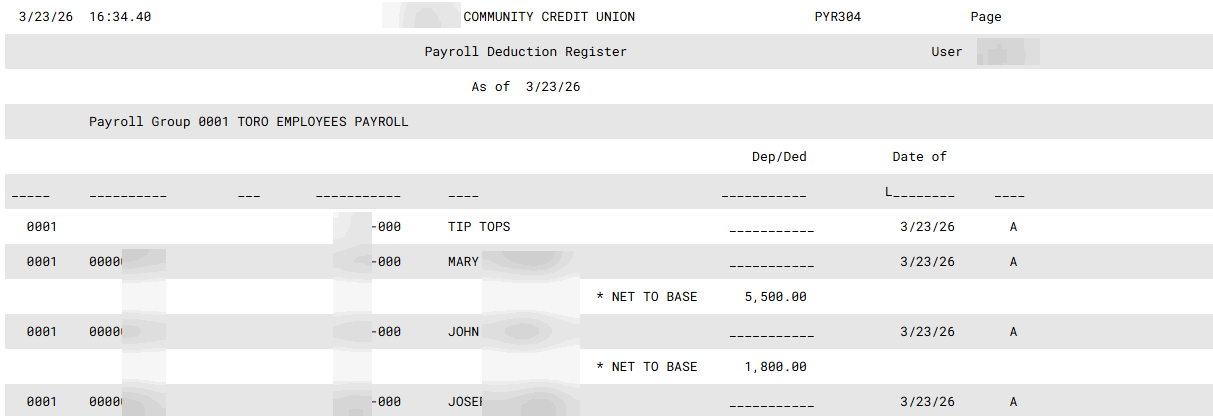
PYR303-01 Payroll Deduction Report 1363 PYR304 |
|
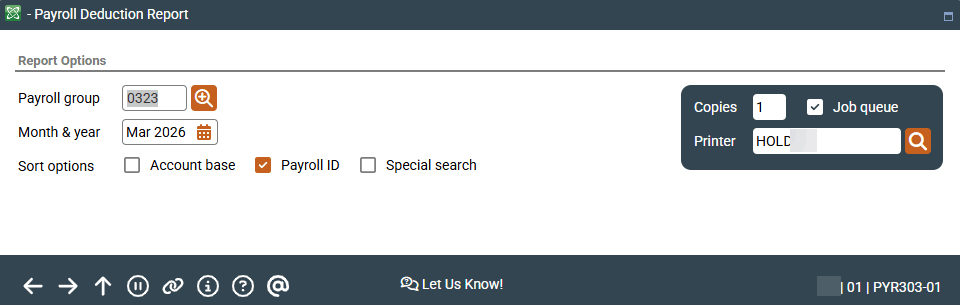
Access this screen by selecting Tool #663 Print Member Payroll Detail.
This report shows all member payroll base deposit and distribution records for a specific Payroll Group, after posting is complete. Only the most recent post is included, as of the month and year specified. Enter the Group ID and choose the order in which the report should be sorted. Press Enter to generate the report.
Field Descriptions
|
Field Name |
Description |
|---|---|
|
Report Selection |
Payroll Group - Enter the Payroll Group to be printed on the report. Click the lookup button Month & Year - Enter the month and year for which data should be shown. Normally three previous months are available. To run a report using month-end data prior to the months held online, contact a Client Services Representative. (There is a charge if this service is requested.) |
|
Sort Options |
Check the check box in front of only one of the following: Account Base - To sort the list in order by member account number. Payroll ID - To sort the list in order by the Payroll ID field. Special Search - To sort the list in order by the Special Search By field. |
 to see a list of your credit union's configured codes.
Report Sample