Disbursing Loan Funds (1)
|
Screen ID: Screen Title: Panel ID: Report Name: |
TDBTB-01 Loan Disbursement 5301 TDBTB |
|
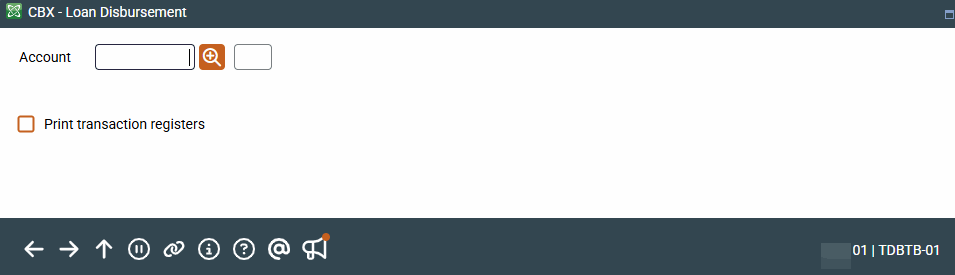
Access this screen by selecting Tool #50 Disburse Member Loan Funds (Shortcut: disbln).
Screen Overview
This is the first screen used to add disbursement instructions used to disburse loan funds to members, in the form of checks, member transfers or G/L transfers, once the loan has been created. Enter the account base and suffix for the loan account, and choose whether or not a transaction register should be printed. Press Enter to proceed to the next screen where you will add the disbursement instructions and post the transactions.
-
If Name ID is activated, you will need to enter the Name ID of the member. Learn more about Name ID configuration.
-
Depending on how your workstation is configured, the system may automatically print a receipt of the disbursement using the standard receipt format, whether you have requested a transaction register or not.
The name and address of the “Pay to” for this check will be printed on the middle portion of the check stub to fit into a standard window envelope. To keep it from being obvious that a check is enclosed, be sure to fold the check so that the middle portion appears in the window.
This feature follows employee account security restrictions.
Report Sample
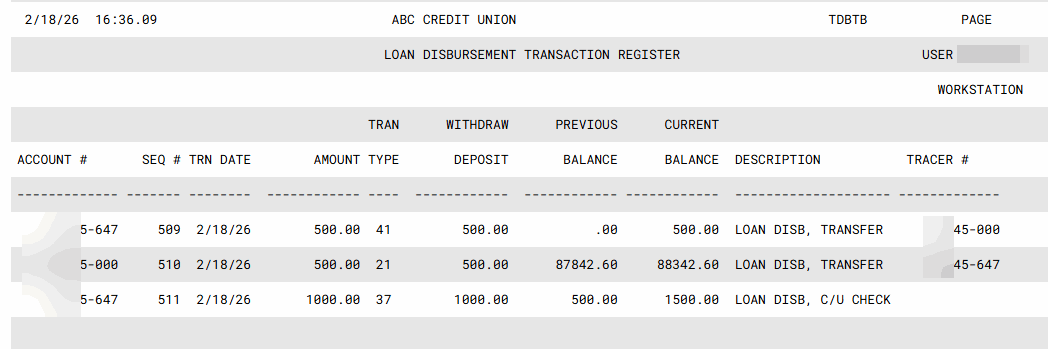
Following is a sample of the report that will print if Print transactions registers is checked: