Xpress Teller Checks and Money Orders
|
Screen ID: Screen Title: Panel ID: |
TSBCHKMO-01 Checks Money Orders 7099 |
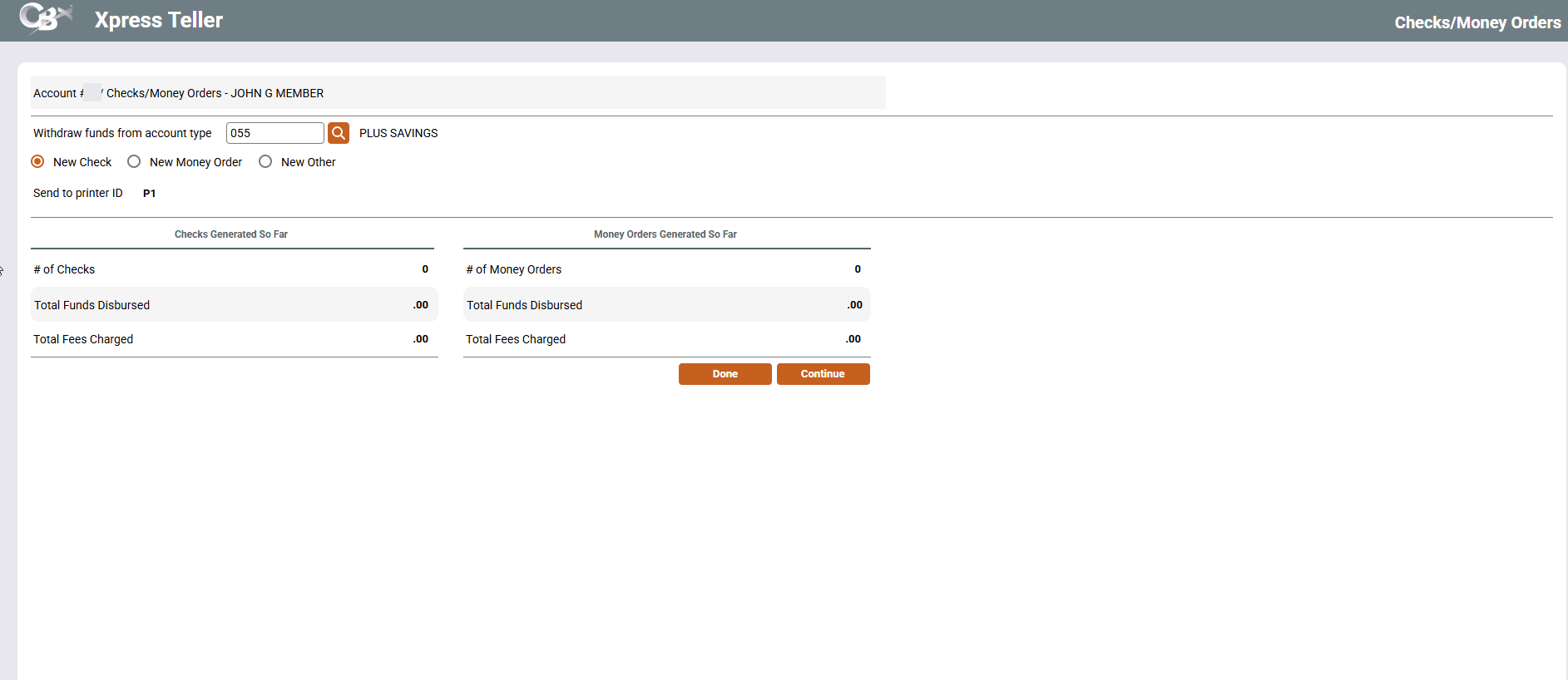
Access this screen by selecting Checks/Money Orders on the Xpress Teller Verify ID screen.
Produce a Check or Money Order
This screen is used to select whether a check or a money order written against a member's account. On this screen, select whether to print a "New Check," "New Money Order," or "New Other."
“New Other” is used if used for things like cashiers check or corporate checks, as defined by the credit union. This feature is activated in the this Xpress Teller Workflow Controls screen.
From there, click Continue to continue to the second screen where you enter the pay to information and the check amount.