Bill Pay Enrollment Marketing Message
|
Screen ID: Screen Title: Panel ID: |
UBPMKTIN-01 Configure Bill Pay Enrollment Message 6895 |
|
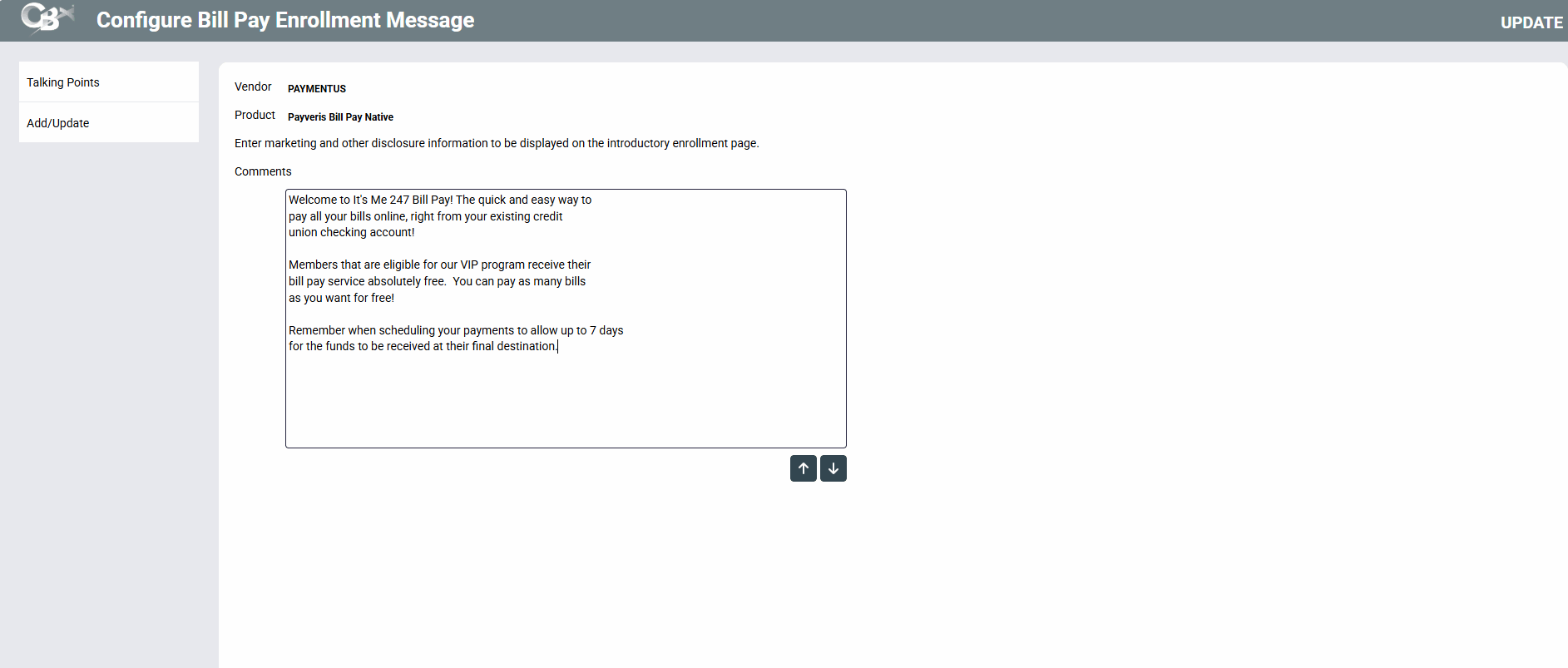
Access this screen by selecting Tool #1955 Bill Pay Marketing Msg and Fees Config and clicking on the icon under Enrollment message.
-
IMPORTANT NOTE: A separate P2P enrollment message is required for P2P enrollments. Use Tool #1956 P2P Marketing Msg Fees Config.
Overview
This credit union-defined message appears when a member is not already enrolled to pay bills via It’s Me 247 Bill Pay. It can contain a marketing statement, information about credit union fees, and warnings about how to schedule payments in advance of when they are due.
-
If you have two bill pay providers configured while you are moving from one platform to another, only the primary bill pay will have the icon appearing, as this is the only bill pay provider that will need an enrollment message.
To save your changes, click Update and you will return to the previous screen.
Related Resources
I am looking for a booklet:
It's Me 247 Paymentus Bill Product Overview and User Guide
It's Me 247 iPay Bill Pay Product Overview and User Guide
It's Me 247 Person to Person (P2P) Product Overview and User Guide