Credit Card Maintenance (3)
|
Screen ID: Screen Title: Panel ID: |
UCCMNT-50 Rate Maintenance 1727 |
|
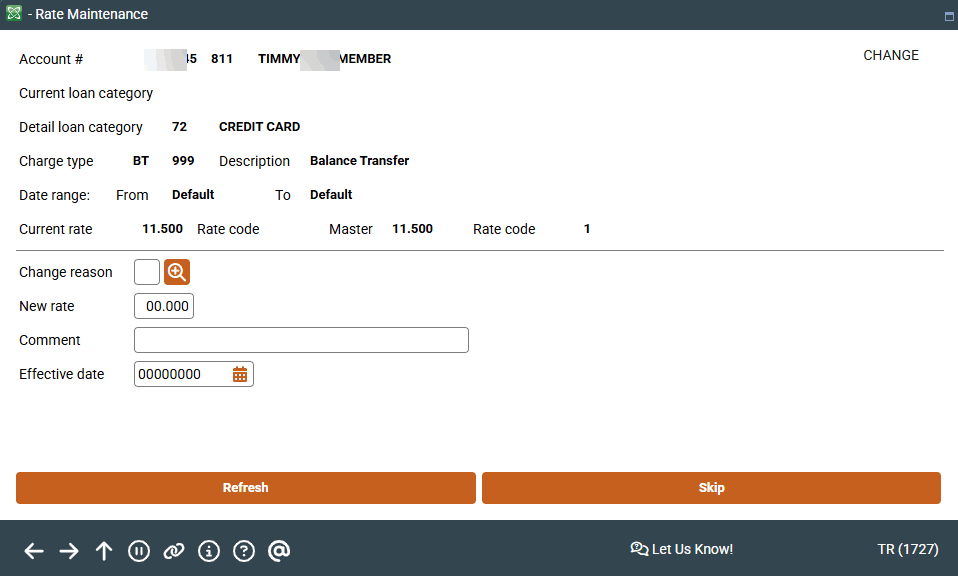
Access this screen by selecting Add or by selecting a rate and Change on the second Rate Maintenance screen.
Screen Overview
Use this screen to define a new credit card rate or to view an existing rate. The new rate is applied in the End of Day (EOD) process. If scheduled in advance, the new rate will be effective when that end of day process runs.
A Change Reason is required and is selectable from the configured reason codes as shown in the pop-up window.
Remember: There is no expiration date on a rate adjustment at the card level. To offer a rate for a limited time, you must create two rate adjustment records: one for the new rate and another to re-set or change the rate on a particular date. The effective date drives when the new rate will begin.
Related Resources
Learn how to add a promotional rate to an online credit card.
For more information on using this screen, refer to the Credit Card Promotions booklet.