Updating Closed Account Information
|
Screen ID: Screen Title: Panel ID: |
UCMEMB-01 Closed Account Info Update 5258 |
|
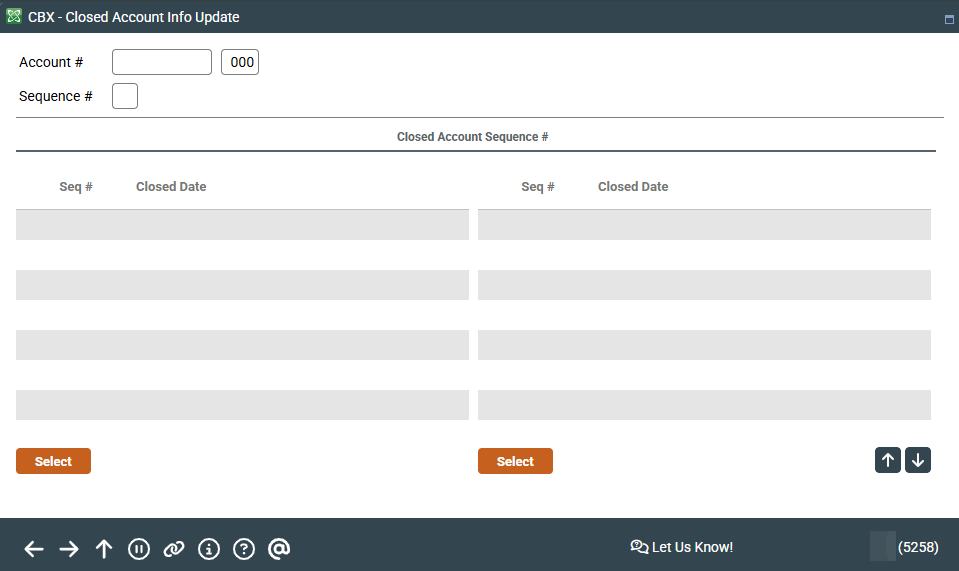
Access this screen by selecting Tool #887 Update Closed Member Account Information.
This is the first of several different screen formats used to view and update information about closed member accounts. Start by entering an account base and suffix, and press Enter to display a list of all sequences where that same account number has been closed (the time period depends on your credit union's data retention policies).
Select the desired sequence in the list and press Enter or Select to proceed to the appropriate next screen. (If you already know the sequence number, you may simply type it along with the account base and suffix and press Enter to proceed directly to the next screen.)
•Share Draft/Checking accounts
•Loan accounts (MEMBER5)
•Line of Credit (LOC) accounts (MEMBER6)