Credit Bureau Information (Savings/Checking)
|
Screen ID: Screen Title: Panel ID: |
UCMEMB-08 Credit Bureau Reporting Information 6651 |
|
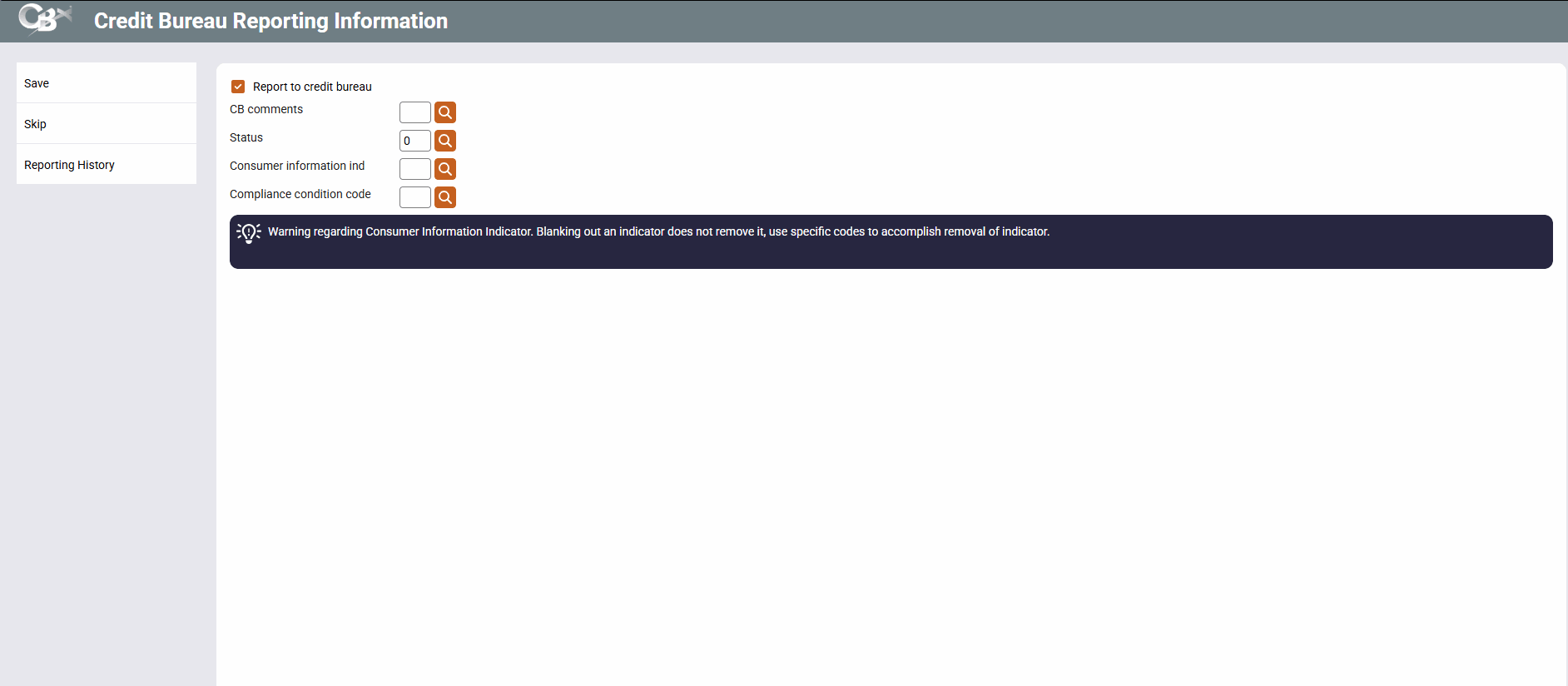
This screen appears when you click Credit Reporting Informationon the Closed Account Info Update screen for any charged off savings or checking account.
Charge Off Saving/Checking Accounts for more information.
This allows you to change the codes selected when the account was charged off. If you do not want the account to be reported one time to the credit bureau the month the account is charged off, uncheck “Report to Cr Bureau.” This also allows you to change the comment and Metro II codes. Use Save to save your changes. Be sure to make the changes prior to the one-time credit bureau reporting. You may make changes after the reporting, but those changes will not be reported.
Screen Details
This screen contains all of the flags and status codes that are used when reporting this loan to the credit bureau(s). Click the lookup button  to see a list of valid codes. When done, press Enter to save and return to the previous screen.
The Report History button gives access to charge off data that was sent to the credit bureau. Click here to access more information.
Field Descriptions
|
Field name |
Description |
|---|---|
|
Report to credit bureau |
Indicates whether or not the account will be/was reported to the credit bureau(s). Uncheck this prior to the reporting the month the account is charged off if you do not want this account to be reported to the bureau. |
|
CB comments |
These two 1-character fields are used for Credit Bureau reporting purposes. Click the lookup button If you wish to enter a 2-character code, enter the first letter into the first field, and the second letter into the second field. Click here for a list of valid codes. |
|
Status |
This is used to report the status of the loan account as it relates to credit bureau reporting. Click the lookup button 97 is the recommended code for savings/checking charge off. |
|
Consumer information indicator |
Use this to report the member's bankruptcy status, or to change/remove a previously-reported bankruptcy status. Click the lookup button This indicator is a little different from the others. You only need to report a bankruptcy indicator once. But if you wish to remove a previously-reported bankruptcy status for a member, you must enter one of the designated removal codes. Leaving the field blank does NOT remove a previously-reported bankruptcy code. |
|
Compliance condition code |
Use this code when reporting consumer disputes and other conditions it compliance with the Fair Credit Reporting Act (FCRA). |
 to choose from a list of valid codes.
 to choose from a list of codes.