Copying Budget Figures
| Screen ID: | UGLBGT1-3 | 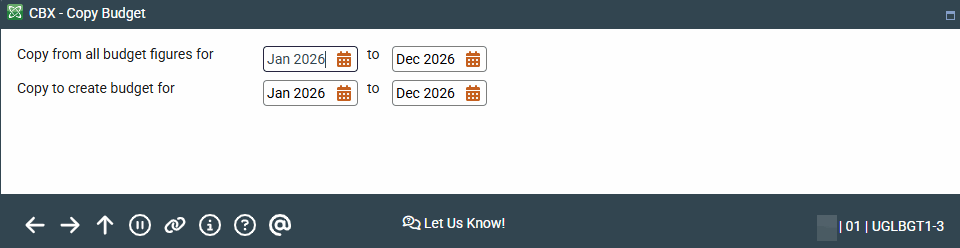
|
| Screen Title: | Copy Budget | |
| Panel ID: | 5550 | |
| Tool Number: | 992 | |
| View full-size screen |
This window appears after using Copy on the Choose Calculation Method screen.
This window is used to create a budget by copying budget figures from a previous budget. Both of the date ranges must include the same number of months, but you do not need to select the exact same month (for example, you could take the budget from July through December and copy it to make new budget figures for January through June of the next year).
Press Enter to proceed. BE CAREFUL: There is no confirmation message.