Adjusting Your Budget Status Controls
| Screen ID: | UGLBGTCTL-02 | 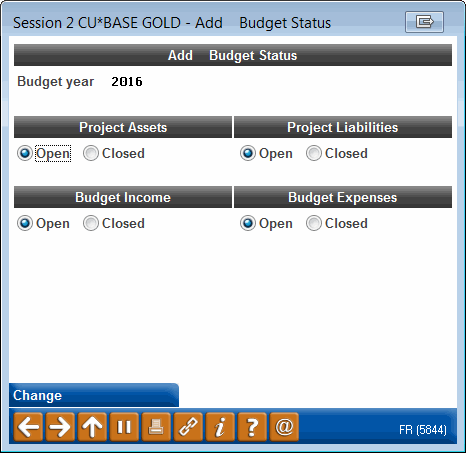
|
| Screen Title: | Change Budget Status | |
| Panel ID: | 5844 | |
| Tool Number: | 482 | |
| Click here to magnify |
Access this screen by selecting a budget year or using Add on the Budget Status Controls screen.
This window lets you control whether budget figures can be created or maintained for the selected budget year. If all types are closed (or if the control record has been deleted altogether) the budget cannot be modified. After making your selections, use Enter to save and return to the initial screen.
For complete details about what Budget Controls are and how they should be used, refer to the Budgeting booklet.