Retrieving G/L Budget Cross-References (Auto-Pick)
|
Screen ID: Screen Title: Panel ID: |
UGLMAAB Auto-Pick 5576 |
|
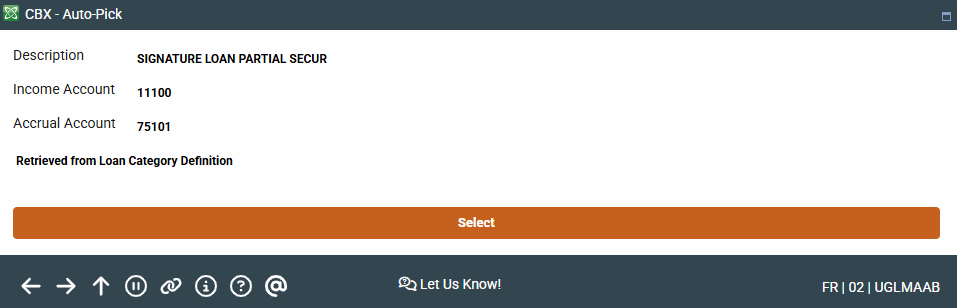
This screen appears after making selections on the initial Balance Comparison Selection screen.
- SEE ALSO: Budgeting
This screen appears after using Auto-Pick on the Chart of Accounts Maintenancedetail screen.
This screen shows the cross-reference income and accrual account numbers that the system found in your loan or savings accounts configurations.
The system only looks for the first match it finds. If you happen to have more than one product tied to this G/L, the budget modeling calculation will not work properly for you. In this case we suggest you leave both fields blank and use a manual method to calculate the budget for this particular asset (or liability).
If these accounts are correct, use Select to save and return to the previous screen.