Setting Up IRA Payout Settings (1)
| Screen ID: | UIRAPY-01 | 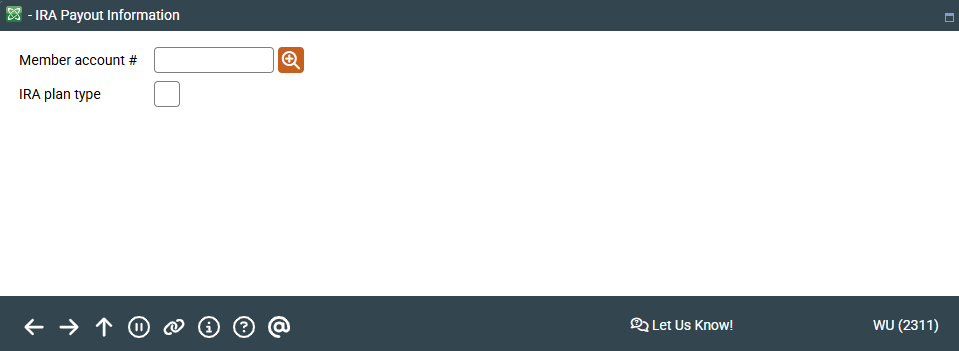
|
| Screen Title: | IRA Payout Information | |
| Panel ID: | 2311 | |
| Tool Number: | 898 | |
| View full-size screen |
Access this screen by selecting Tool #898 IRA Payout Information.
This is the first of two screens used to record information about a member's wishes for handling the payout of his or her IRA plan. Payout is required when a member reaches 72 years of age, and this system lets you record how payout is handled for a particular member.
Enter an account base and press Enter to proceed to the second screen.
Go Back to a Previously-Used Account
|
If you want to access a membership you used recently, click the lookup next to the Account base field. The Your Most Recent Accounts Accessed pop-up window will appear. |
|

The system will check the member's IRA Balance File records, and access will not be allowed unless a balance file exists for this member (meaning they have an actual IRA share or certificate account). If no IRA account information is found, the following message will appear:
1602-No IRA balance file information found for member. Please correct.
You may either enter a different account number, or use the up arrow (Cancel) to return to the Home Page and proceed with any account creation that is necessary.
The IRA Required Minimum Distribution Inquiry is a calculation tool that can be used to perform “what if” scenarios using various member information, to assist a member in deciding how his or her payout instructions should be set up.