Select Forms
|
Screen ID: Screen Title: Panel ID: |
ULNPRD-01 Default Loan Forms 5968 |
|
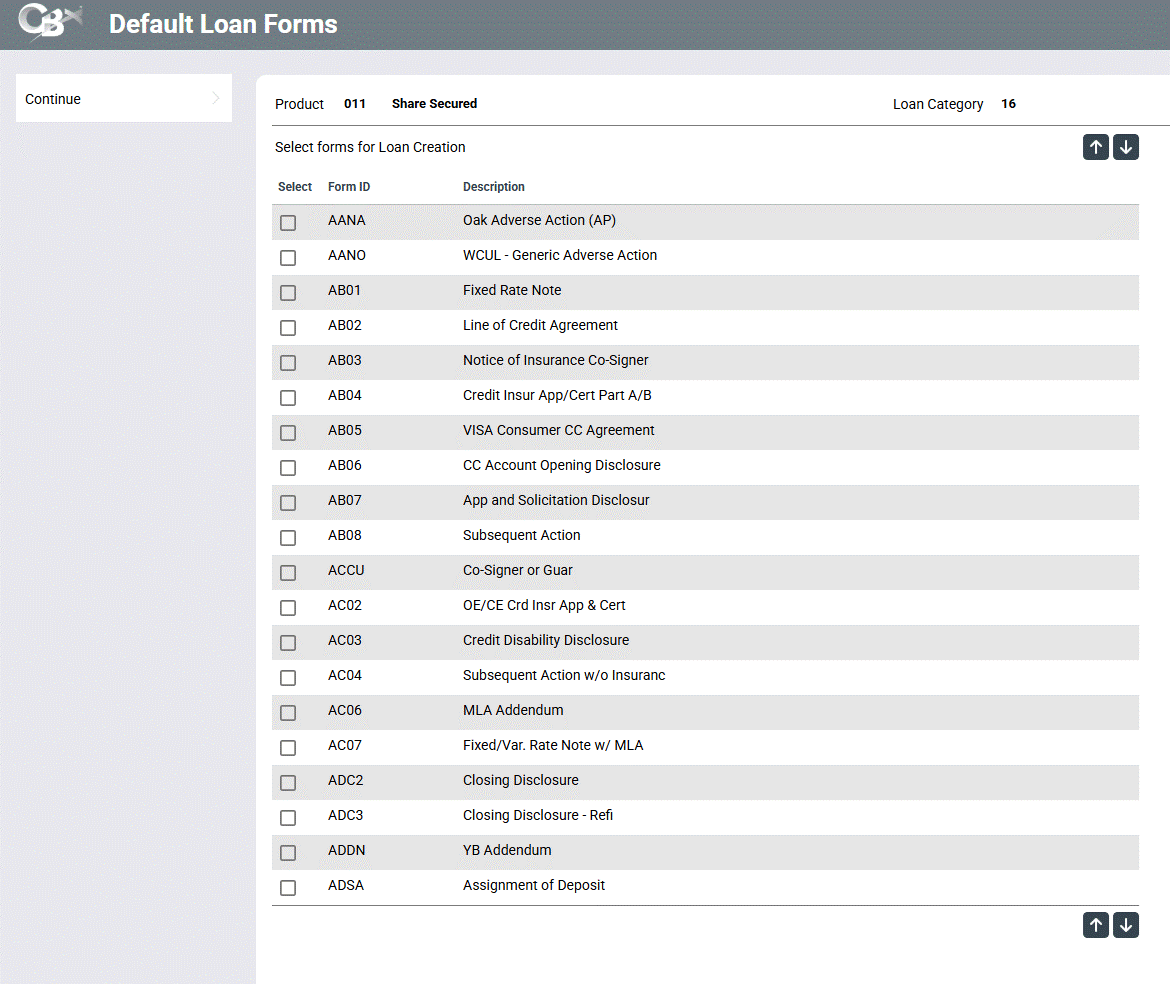
Access this screen by selecting the Select button next to "Selected forms" on the Loan Creation Screen
Use this screen to select the loan forms you would like to print by checking or unchecking the appropriate box. Then press Enter to return to the Loan Creation Screen.
If an eDOC printer is selected on the previous screen, this list will be filtered to show only eLoan forms. (This is controlled via the Download form data for e-document setting on the Loan Form Type Configuration.) If a laser printer is selected, all non e-Loan forms will be listed.