Configure Skip Payment Program (2)
|
Screen ID: Screen Title: Panel ID: |
ULNSKP-02 Configure Skip Payment Program 3519 |
|
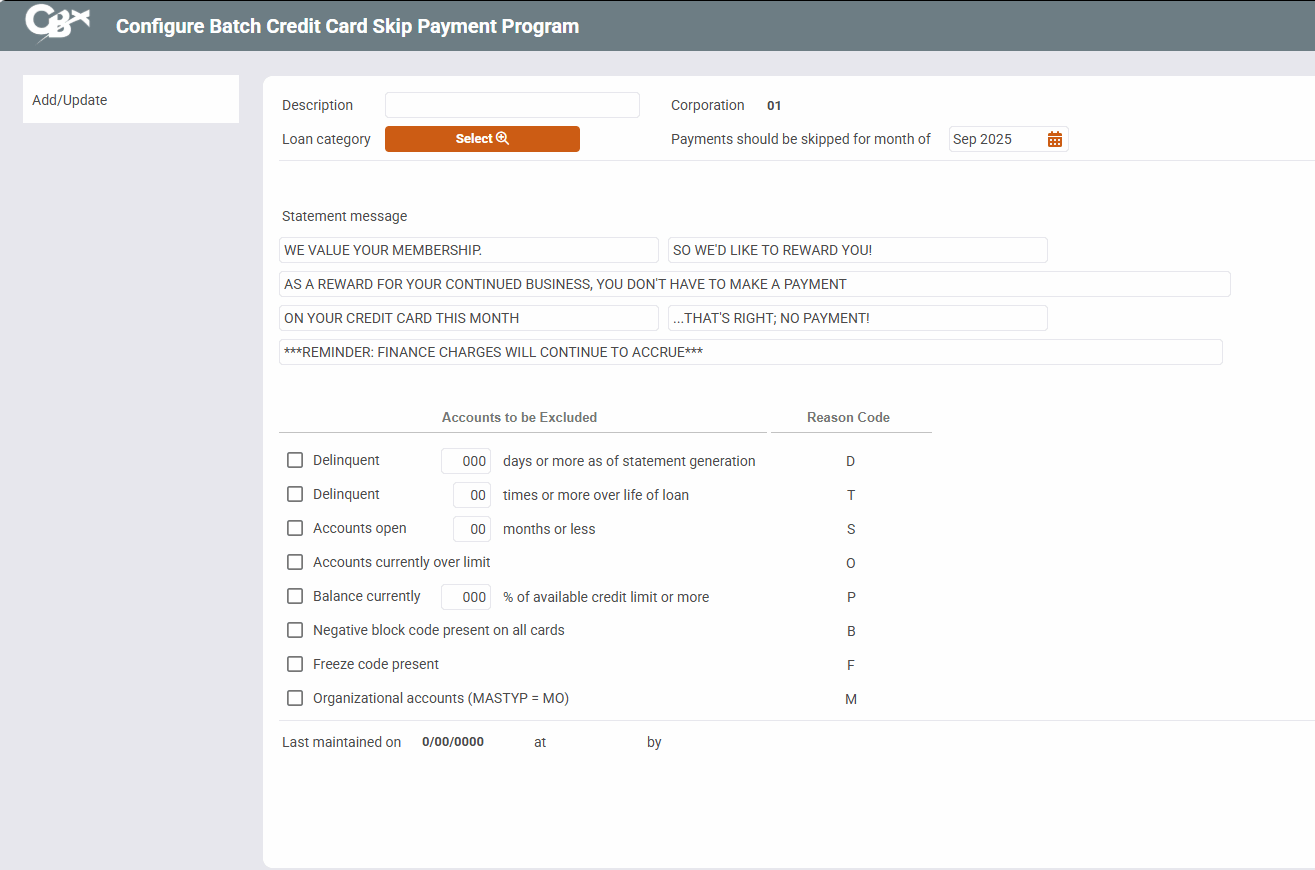
Access this screen by selectingAdd from the initial Skip Payment Configuration screen.
-
For more information on setting up a Skip-a-Pay Program for Online Credit Cards at your credit union, see the booklet: Skip-a-Pay for Online Credit Cards
Use this screen to configure your Skip-a-Pay program. When you are finished configuring the program, use Add/Update to move to the next screen, where you can run simulation reports of members included and excluded from the program.
You can also exclude individual members from being eligible by checking Block from skip-pay on the final membership screen; in this case the member will not be included in a program.