Configuring Marketing Clubs
| Screen ID: |
UMKCLB-01 |
|
| Screen Title: |
Marketing Clubs Maintenance |
|
| Panel ID: | 5170 | |
| Tool Number: | 486 | |
| Click here to magnify |
Access this screen by selecting Tool #486 Marketing Club Configuration.
-
Refer to the reference guide, Marketing Clubs: Configuration, Benefits and Enrollment, for more information on marketing clubs.
Introduction to the Feature
How does a credit union manage a group of members who share a bond beyond that which brought them to the credit union in the first place? For example, do you manage member groups based on their age? Their shared interests? Their shared motivations?
Most often, these groups are handled by forming a “club.” The term “club” implies some common link and special status beyond that of the entire membership. Generally, it requires administration through mailings, raising funds through fees, and of course encouraging the member’s participation through a set of rewards. The Marketing Club feature was designed to manage these styles of clubs.
-
IMPORTANT: Remember that benefits are paid only to active Club members; therefore, if on the day Club benefits are paid, the member is not at Active status in the Club, benefits will not be paid and the accrued benefit amount will be cleared. Benefits are paid according to the same payment schedule used for regular dividends.
-
Additionally, if a member qualifies for multiple share marketing club benefits, the system pays them in a single amount, using the transaction description from the first club it finds, regardless of how many have fed into that total benefit. There is only a single “bucket” to track the benefits.
Using this Screen
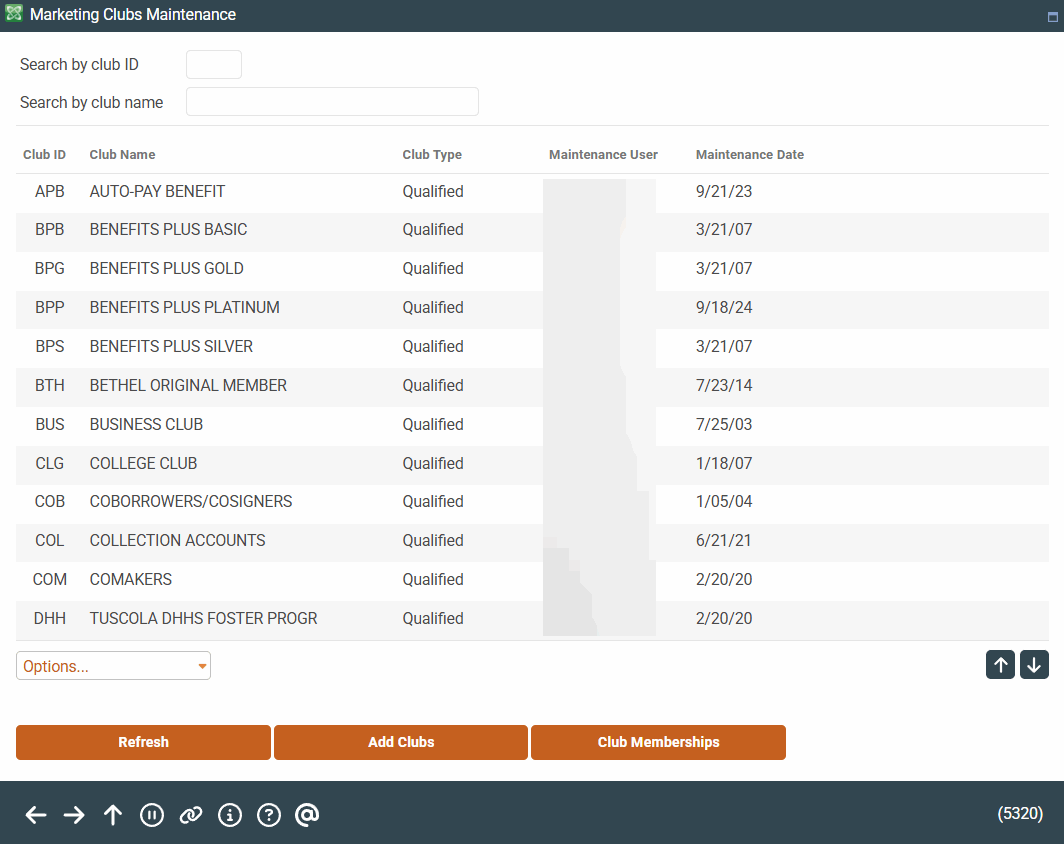
This is the first of several screens used to create a Marketing Club and set up default parameters for all its members.
-
To search for a club in the list, enter either the Club ID or the first few characters of the Club Name in the search fields at the top of the screen. Use Enter to scroll the list to the first item which matches. Use Refresh at any time to view the entire list.
-
To modify parameters for an existing club, select the club in the list, and use Change. From here you can select the appropriate screen.
-
To view a the parameters for an existing club, select the club on the list use View.
-
To add a new club, select Add Clubs.
-
To maintain club membership by member, use Club Memberships.
You can only delete clubs that have no members attached to them. There is no confirmation screen.