Recording a "Master Greeting" for Member Communications
|
Screen ID: Screen Title: Panel ID: |
UPRGRT-01 Master Greeting 2679 |
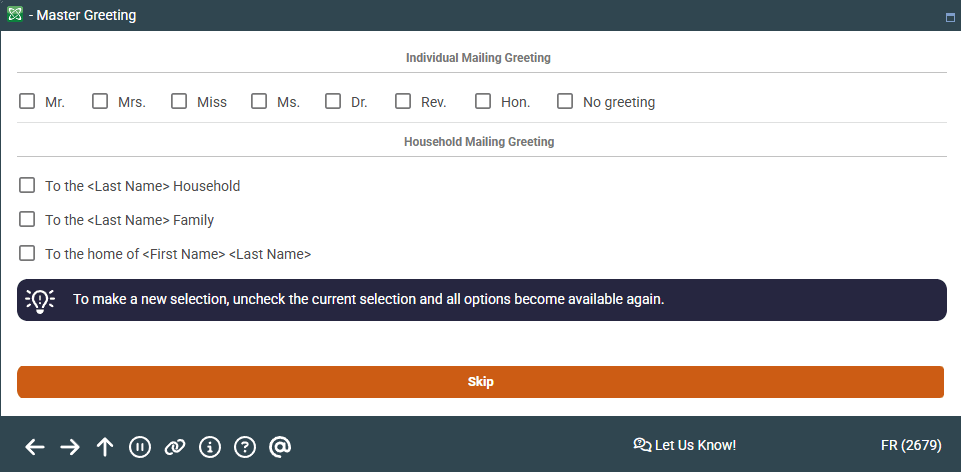
This screen will appear automatically when opening a new membership, if activated in your credit union's Workflow Controls. It can also be accessed later via Greeting on the final membership information screen.
Screen Overview
The Master Greetings screen lets you choose a preferred greeting to be used whenever personalized letters are sent to this member. For example, you could use a more formal or specific greeting such as “Dear Ms. Jones” or “Dear Dr. Smith.”
When creating a membership, you can choose the preferred greeting to be used whenever personalized letters are sent to the member. In addition, you may also choose a standard greeting to be used when a mailing is addressed to the entire household, rather than to the individual member.
The greeting title (stored in the MSGRT field in your credit union's MASTER file) will be available when printing personalized letters by downloading data to an external program such as Microsoft Excel or Word. It is not used by other print systems such as statements, notices or reports.
When done, press Enter to record the changes and return to the address maintenance screen.
-
Once a membership has been created, the greeting for a member can be edited at any time by using Greeting on the final Update Master Information screen..
Related Resources
View more videos related to membership application processing.