Club Account Transfer Indicator Configuration
|
Screen ID: Screen Title: Panel ID: |
UTRIND-01 Transfer Indicator Definition 2964 |
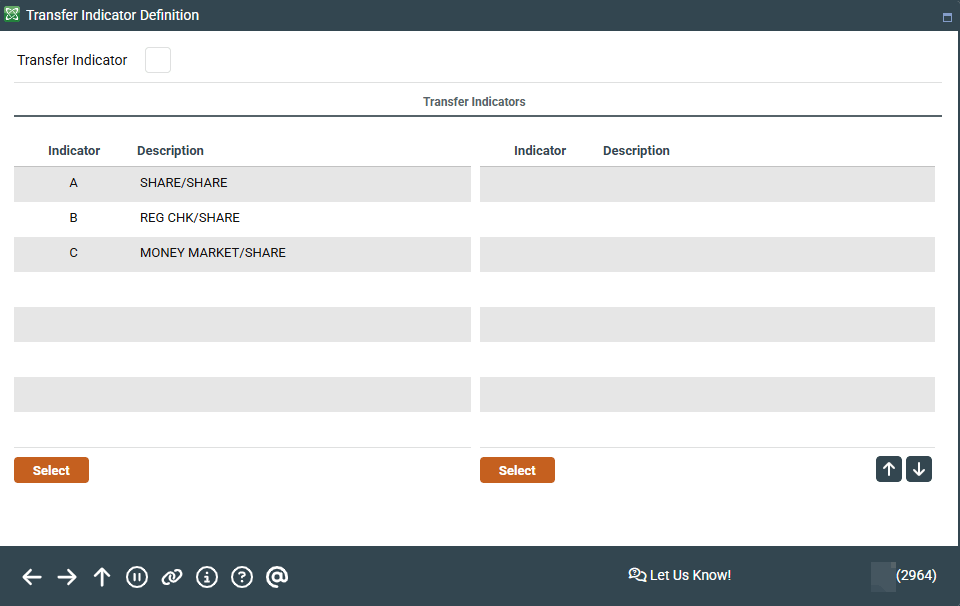
Access this screen by selecting Tool #239 Configure Club Transfer Indicators.
Screen Overview
This screen is part of the configuration necessary to set up Club Accounts for automated processing. Before club parameters can be set up, one or more transfer indicator codes must be created to be used in the club configuration. Transfer indicators indicate how funds will be transferred when the Club expires. Enter a new transfer indicator, or select one in the listing to move to the detail screen.
Related Resources
Learn how to add a club transfer indicator.
For complete information on Club Account Processing, refer to the booklet Club Account Processing.