Formatting Numeric Data
|
Screen ID: Screen Title: Panel ID: |
Report Builder (Query) Define Numeric Field Editing QRYDFNM1 |
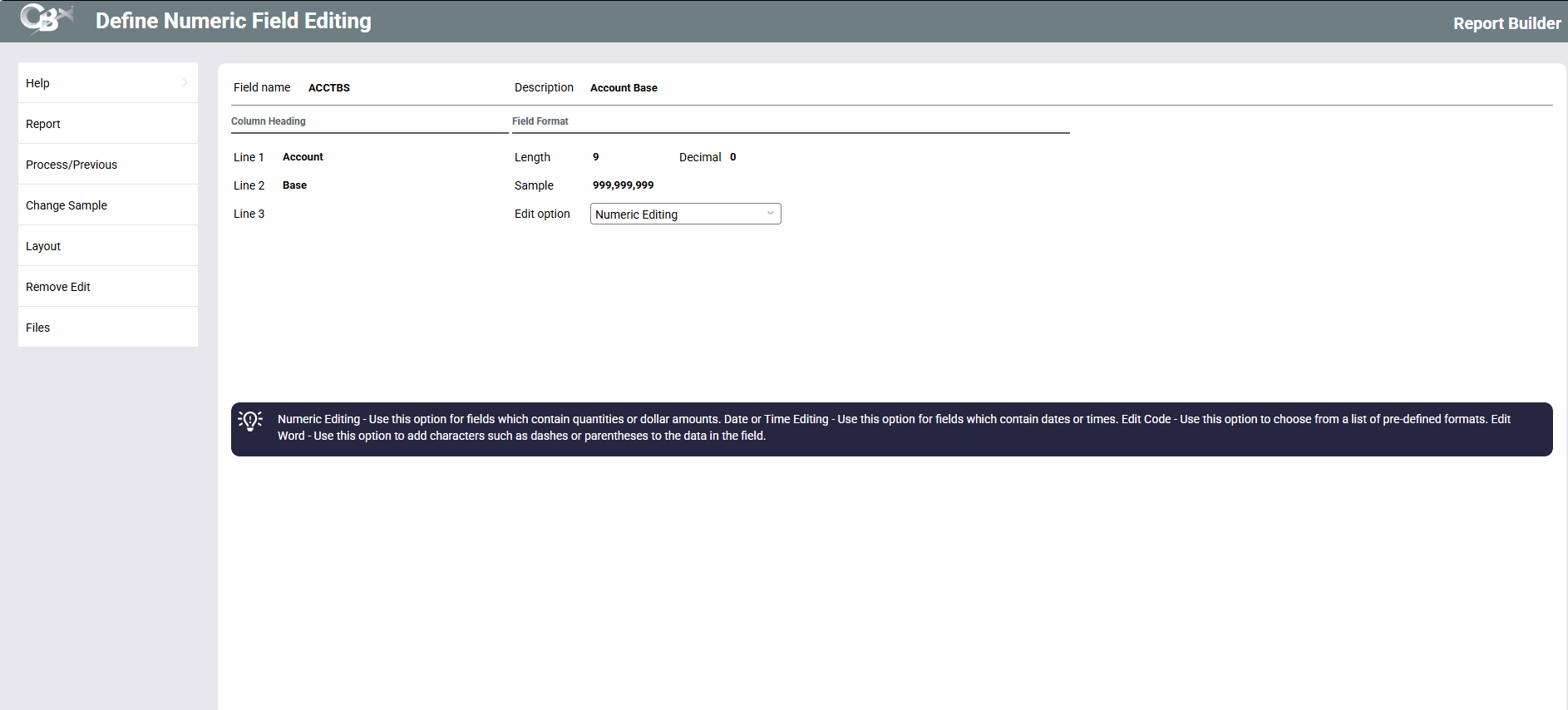
Screen Overview
This feature is used to choose a format for the data that will appear on the final Query report. Examples include:
-
Date fields can appear with various separators, such as 05/01/03 or 05-01-03.
-
Dollar amount fields can appear with commas and a currency symbol in front, such as $1,320.02.
-
Percentages can appear with a percent sign on the right, such as 2.309%.
-
Social Security numbers can appear with dashes, such as 389-55-2939.
-
Account numbers can be formatted to appear without commas.
-
Account suffixes can be formatted to show all leading zeros (i.e., “001” instead of “1” for a share draft account type).
This first screen shows field specifications and provides four different editing options:
-
1 = Numeric Editing (1)
Use this option for fields which contain quantities or dollar amounts. -
Date or Time Editing (2)
Use this option for fields which contain dates or times. -
Edit Code (3)
Use this option to choose from a list of pre-defined formats. -
Edit Word (4)
Use this option to add characters such as dashes or parenthesis to the data in a field. A common use for this option is to add dashes in a Social Security number or phone number field.
Select the desired option and press Enter to proceed to the next screen.
Related Resources
Learn how to format account numbers.