Update or View HSA Balance File Information (2)
|
Screen ID: Screen Title: Panel Number: |
UHSA-02 Member HSA Balance File Information 3166 |
|
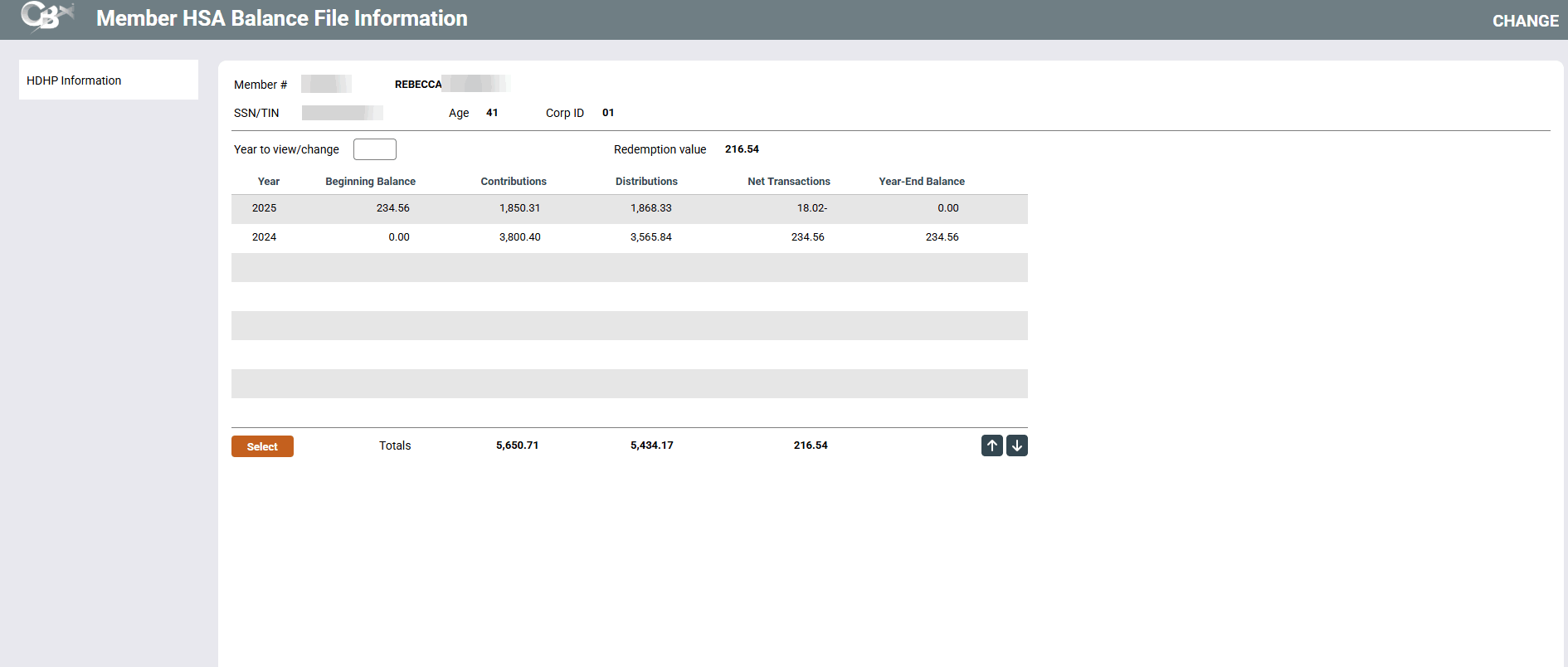
This screen appears after entering an HSA account number on the initial Member HSA Balance File Information window. It will also appear when using the IRA/HSA button (F18) from the account inquiry screen for HSA savings, checking or certificate accounts.
Select any year in the list and use Enter or Select to proceed to the Member HSA Balance File Information screen.
-
Redemption value is a calculated field: Current balance + Accrued dividends
-
If you see asterisks on this screen, it is due to theprivacy configuration.
-
For additional information about HSA accounts view the Health Savings Account HSA booklet.
Buttons
|
Buttons |
Description |
|
Use this option to go to the HDHP Information screen where you can enter optional information about the member's HSA account, including insurance company, deductible amount, or other notes. |