Configuring Loan Purpose Codes (1)
|
Screen ID: Screen Title: Panel Number: Report Name: |
ULNTYP-01 Purpose Code Definition 2384 ULNTYP |
|
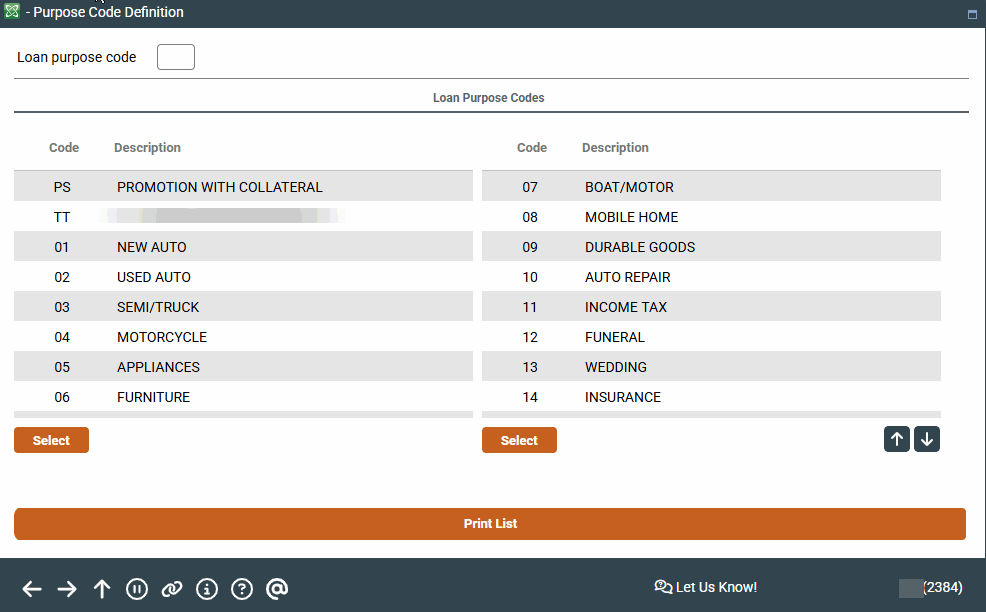
Access this screen by selecting Tool #706 Purpose Code Configuration.
-
Looking for some recommendations on your big picture planning for your loan configuration? Refer to the Big Picture Planning for Your Loan Big Picture Planning for Your Loan Configurations overview.
This is the first of two screens used to configure Purpose Codes which are assigned to individual loan accounts. A Purpose Code defines what loan funds are being used for, and is simply a means to document the reason for the loan. It does not affect how the loan is processed in any way.
In addition, a credit bureau-configured account type code can be attached to each Purpose Code created in the core system. Therefore, Purpose Codes become an important tool for reporting loan data properly to the credit bureau. Your credit bureau or a client service representative can provide a current list of accepted credit bureau codes and their meanings.
To create or modify a Purpose Code, enter any new or existing two-digit alpha-numeric code. (Codes do not have to be in strict sequence.) Use Enter to proceed to the second screen. Or select an item from the list and use Select.
If you wish to print a list of all of your Purpose Codes, simply click Print List.
Report Sample
