5300 Call Report Ratio Description
|
Screen ID: Screen Title: Panel ID: |
UN53RAFM-04 5300 Call Report Ratio Description 3997 |
|
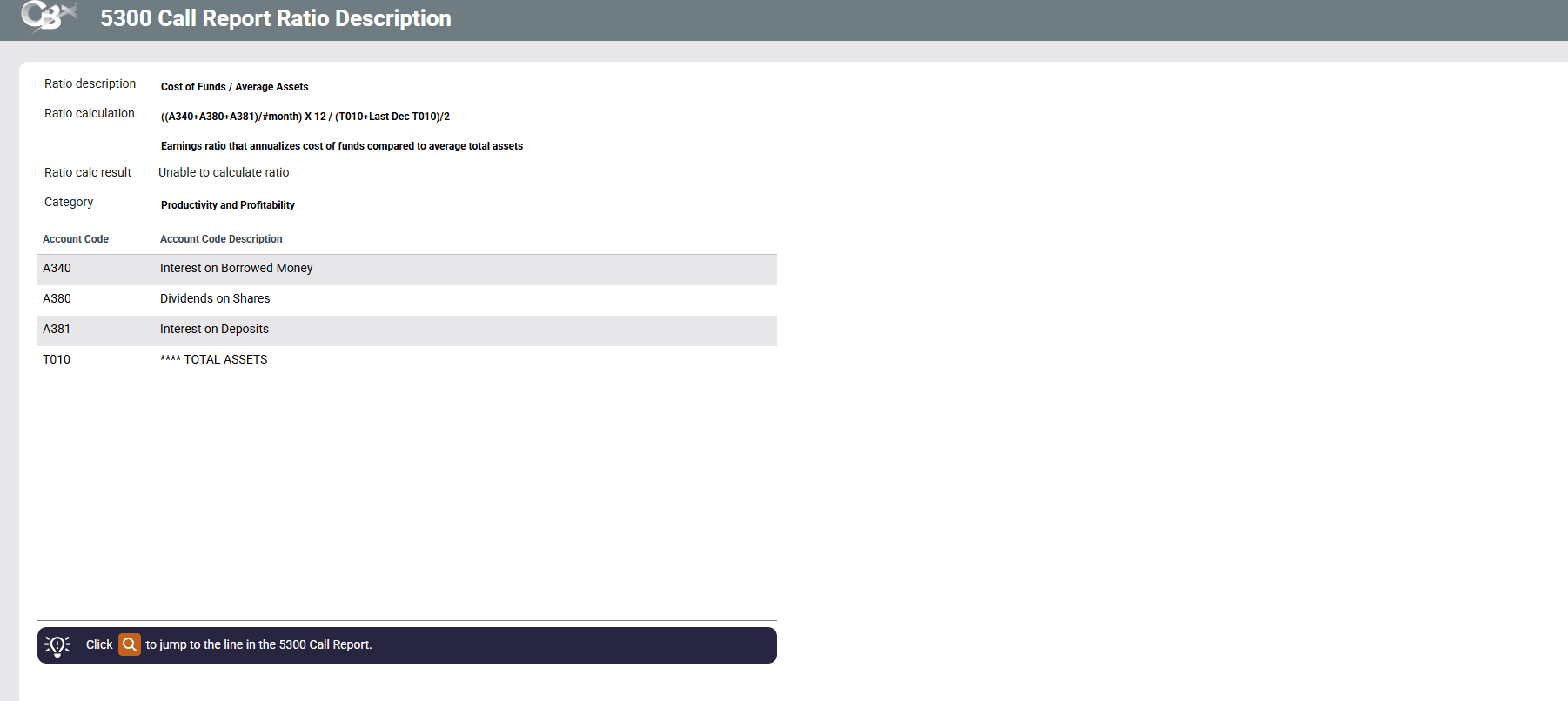
This screen is accessed by clicking
 next to a ratio on the Call Report Ratios Dashboard or using Ratio Description from the Choose My Ratios screen.
When accessing this screen from the Call Report Ratios Dashboard*, The 5300 Call Report Ratio Description screen displays the ratio calculation and includes a list of Account Codes and the actual values used in the calculation.
If you would like to go to the actual line of the Call Report for one of the listed Account Codes, then click on the spyglass button next to the appropriate Account Code value.
-
*NOTE: There are two access points for this screen. If viewing this screen directly from the Call Report Ratios Dashboard, you will see the result for the calculated ratio if there was enough Call Report data to calculate the ratio. If viewing this screen from the Choose My Ratios screen, you will see a message “Unable to calculate ratio” because you are not looking at a specific period for a ratio to be calculated.