User Defined File Definition
| Screen ID: | n/a | 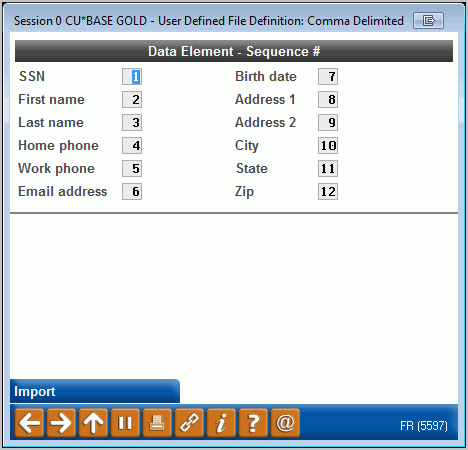
|
| Screen Title: | User Defined File Definition | |
| Panel ID: | 5597 | |
| Tool Number: | 13 | |
| View full-size screen |
Access this screen by selecting Import on the previous screen.
Learn more in the "Importing a List of Prospective Member Names into the Pending Membership Database" booklet.
Use this screen to identify the order of the data in the comma-delimited file you are uploading. Specify the field sequence to exactly match the order in which the data appeared in your PC file. If you have extra fields after these 12, they will be ignored, But there cannot be extra columns between these required ones.
Use Import to complete the upload.
You will receive a window counting the number of record that have been successfully uploaded. An exceptions report will print the items that could not be uploaded for various reasons, including that they are duplicate records or do not include the required pieces of data (First name, last name and either phone or email address).
The Work with Online Banking Member Requests screen will now show the additional records you have uploaded.