Credit Union Default PIB Configuration (con't)
| Screen ID: | UCUPIB-02 | 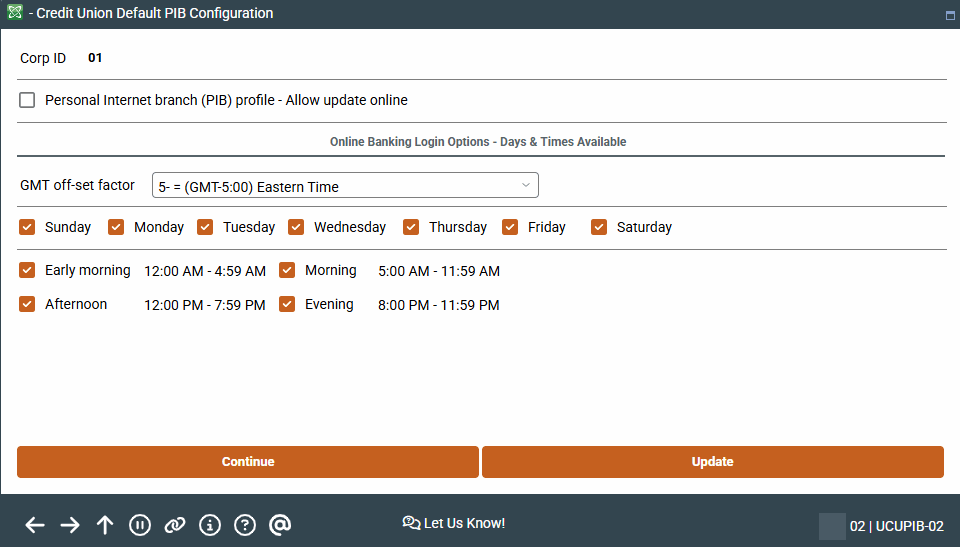
|
| Screen Title: | Credit Union Default PIB Configuration | |
| Panel ID: | 4240 | |
| Tool Number: | Multiple | |
| View full-size screen |
Access these screens from the first PIB Configuration screen
This screens allow you to set the settings of the Credit Union default PIB profile. This is the profile that is created when a credit union employee creates a PIB profile for a member or when the member creates a profile online.
If a change is made to this screen, for example a new feature is made available to members, the change will affect only members who accept the profile after the change has been made. To make changes to the Credit Union default profile to members with existing accounts, use the Flood feature.
Refer to the It's Me 247 Personal Internet Branch (PIB) Configuration/User Guide for details.
When done here, use Update to save your changes and return to the entry screen. Or press Enter (Continue) to move to the next screen. Or use the backup arrow to return to the previous screen.