Personal Internet Branch (PIB) Profile
|
Screen ID: Screen Title: Panel ID: |
UPIBCFG-03 Configure PIB Profile 5053 |
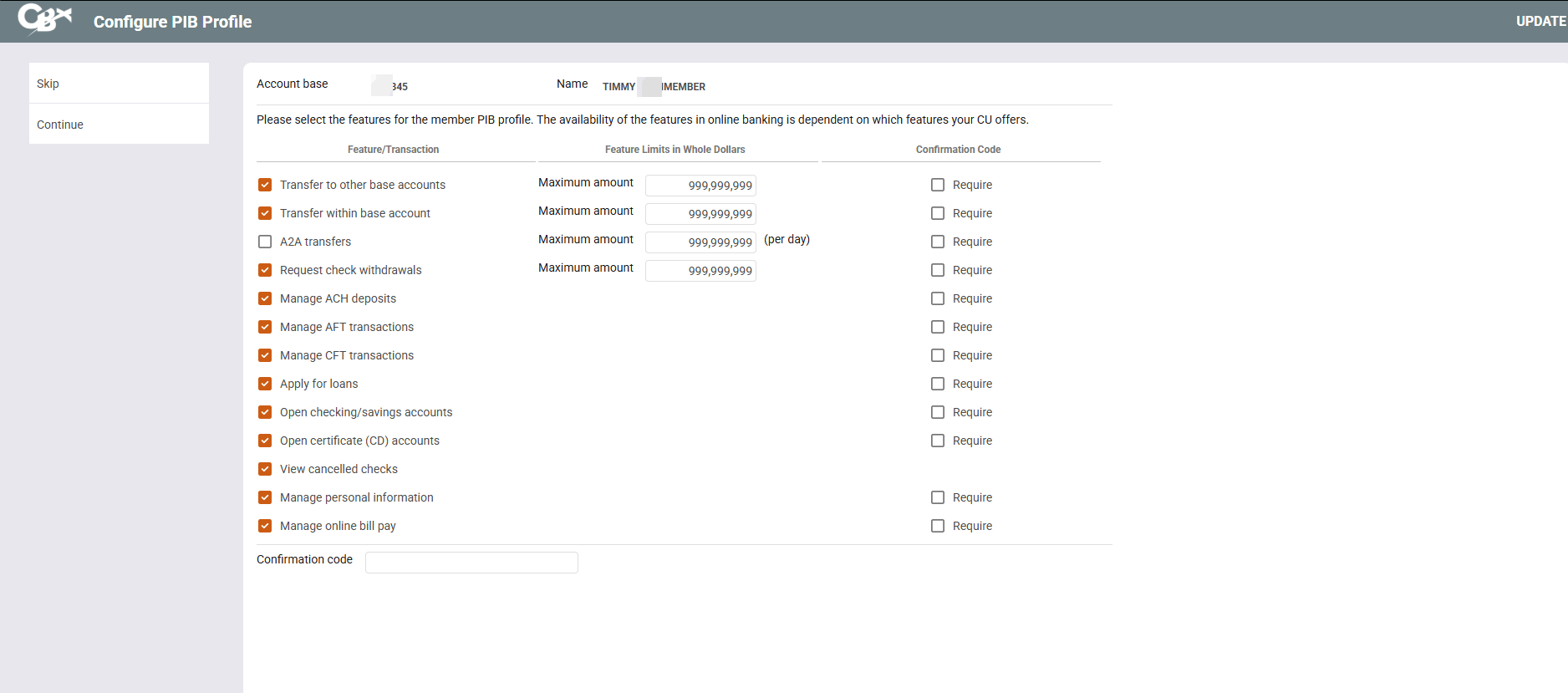
This screen appears after clicking the forward arrow (Enter) on the initial PIB screen. Access an inquiry-only version of the screen via PIB on the Online Banking Usage Inquiry window.
Screen Overview
This screen is used to view or modify a member's Personal Internet Branch (PIB) Profile. This Profile controls how online banking will behave for this member, including additional security controls such as confirmation codes for certain types of transactions, and more.
From this screen you can also view a history of PIB-related messages sent to the member including security alerts as well as notifications of changes to the member's PIB Profile.
Press Enter to move to the final PIB screen, where you can save your changes.
Related Resources
Visit Show Me the Steps for easy instructions on how to complete tasks related to PIB.
Logging in to Online Banking for the First Time (yes username, yes PIB) (member video)
View more member-facing online banking videos
Logging in to Online Banking for the First Time (no username, yes PIB)